# 6/6/2022 - 7/20/2022
### New Features
---
#### Save Incomplete Products
This new feature has been developed with the goal of speeding up the bidding process for dealers. You can now save products that don't have all of the required information filled out. For example, you won't need to provide reveals, modification colors, toe kick styles, etc. until you are going to submit the order. Some fields are still required (quantity, width, height, depth, etc.) to get an accurate price and you won't be able to save a product if any of those critical fields are invalid or missing. If a non-critical field is linked to the price of an item, the price may vary slightly when that field is filled out later on (drawer insert wood types, finished edges, etc.).
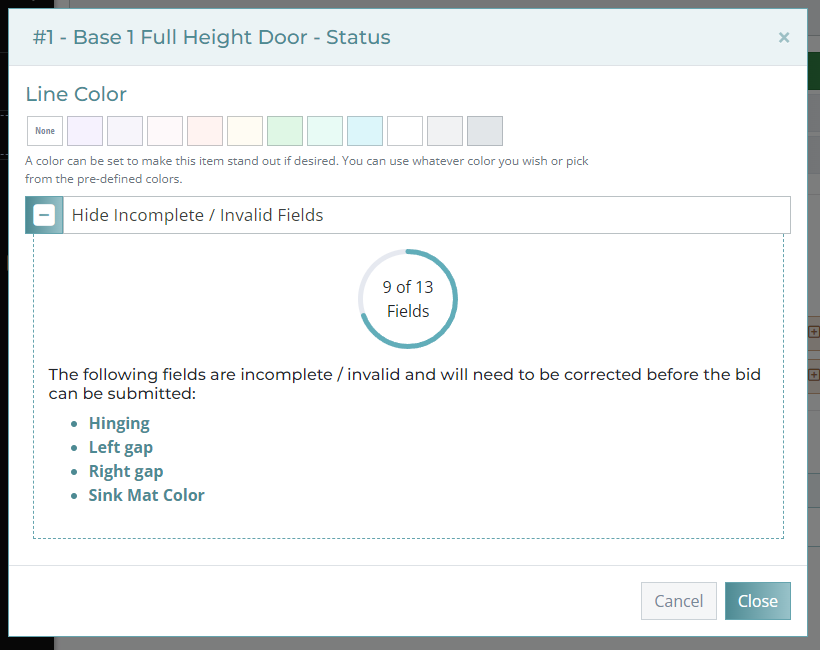
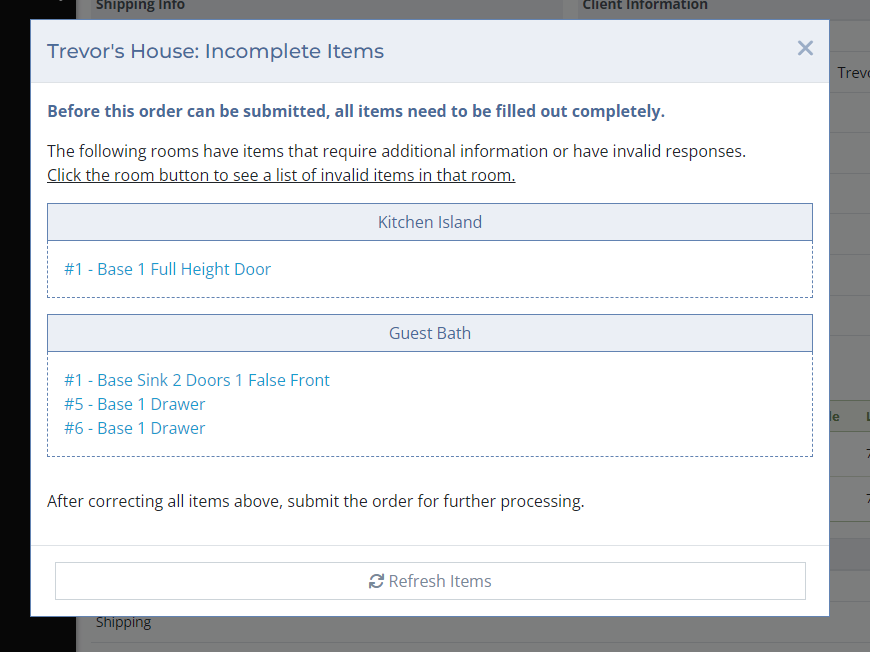
When an item is saved with missing or invalid fields, it is flagged as an incomplete item and given the status icon shown in **Image 1**. Clicking on the status icon will allow you to see which fields are invalid in the Incomplete / Invalid Fields section (**Image** **2**). If there are any incomplete items in a bid and you attempt to submit the bid, you will see the notification shown in **Image 3** listing which items are invalid and which rooms they are in. Clicking on the products in the list will open them in a new tab. After saving the finished product, you can use the Refresh Items button to update the list of incomplete items.
[](http://help.homesteadcabinet.net/uploads/images/gallery/2022-07/NMpimage.png)
**Image 1.** Incomplete product status icon.
[](http://help.homesteadcabinet.net/uploads/images/gallery/2022-07/3Qbimage.png)
**Image 2.** Product status menu showing which fields are invalid / incomplete.
[](http://help.homesteadcabinet.net/uploads/images/gallery/2022-07/wbRimage.png)
**Image 3.** List of incomplete items by room in an order.
#### Disabled and Hidden Dropdown Items
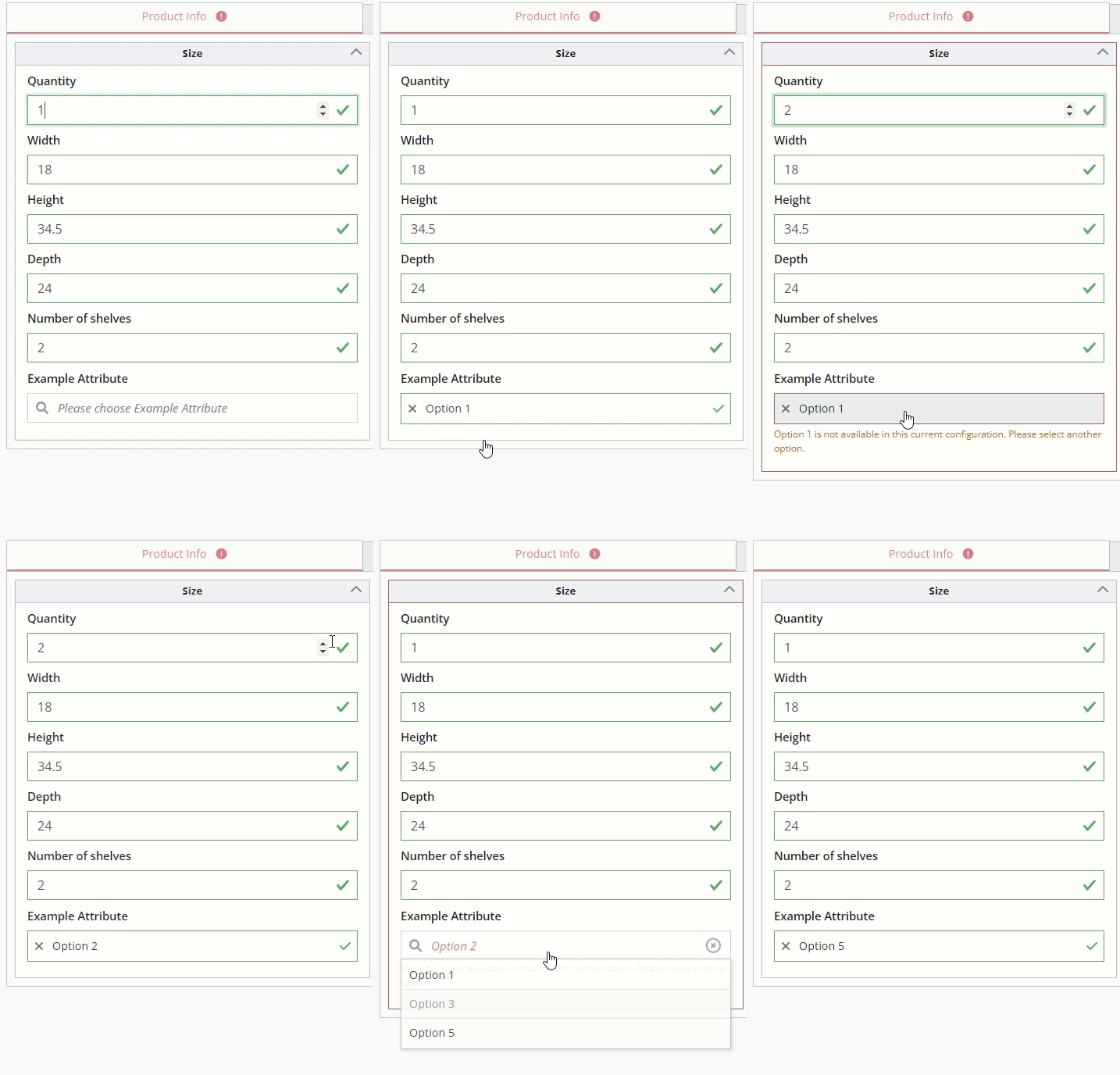
Dropdown options can now be disabled and hidden programmatically. This will help us to narrow down options by removing or disabling the ones that don't work in the current product configuration. In **Image 4.** Below, it shows how options 1 and 5 are initially available, option 3 is disabled, and option 2 and 4 are hidden. In the example below, when the quantity is changed to 2, option 1 becomes disabled while option 2 is unhidden.
[](http://help.homesteadcabinet.net/uploads/images/gallery/2022-07/disableddropdowns.gif)
**Image 4.** Example of disabled / available dropdown and how they change with other fields.
#### Cloned Bids Link to Original Bid
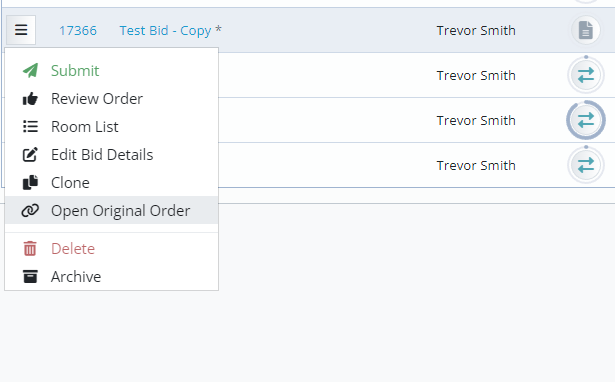
When a bid is cloned the new bid will have an \* next to its name to indicate it came from another bid. Using the bid action menu, you can open the original order. This will be useful to quickly just between Hot Lists and their original orders.
[](http://help.homesteadcabinet.net/uploads/images/gallery/2022-07/4mrimage.png)
**Image 5.** An \* is shown to the right of the bid's name to indicate it is a cloned bid.
#### Move / Copy Items Between Bids
An easier way to move / copy items and rooms between bids has been added! [Click this link to see the full article about this new feature.](http://help.homesteadcabinet.net/books/dealer-training/page/move-copy-items)
#### Size Restrictions
Product size restrictions are now located below the product description and update live when modifications change them. The gif below shows an example of a modification that can only be ordered in a specific width of cabinet.
[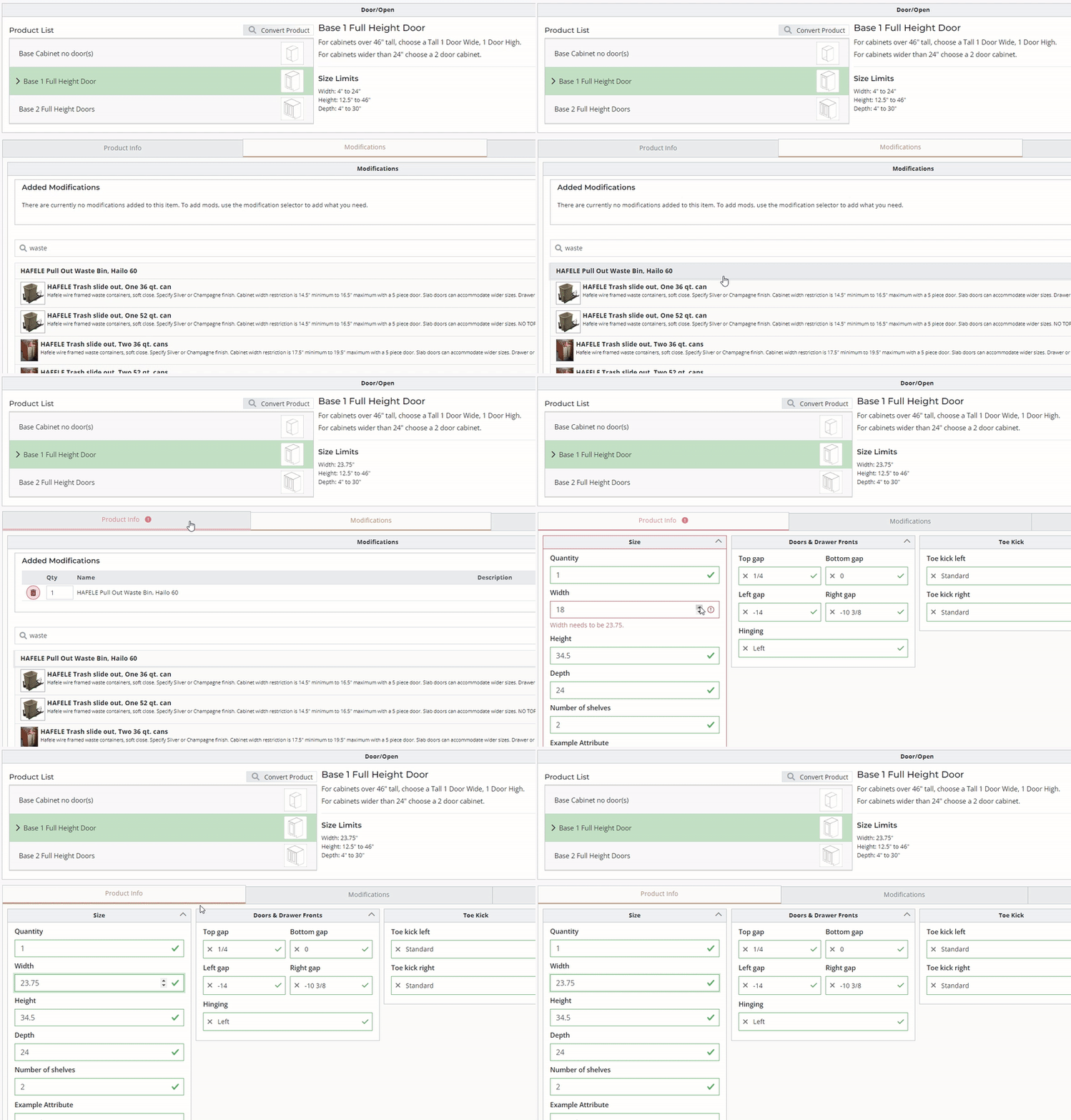](http://help.homesteadcabinet.net/uploads/images/gallery/2022-07/Dlwsizerestrictions.gif)
**Image 6.** Product size restrictions will update live when modifications that override restrictions are added.