# Pricing Version
This article will go over a all of the functions that you can perform to a item version.
#### Getting to the Pricing Versions
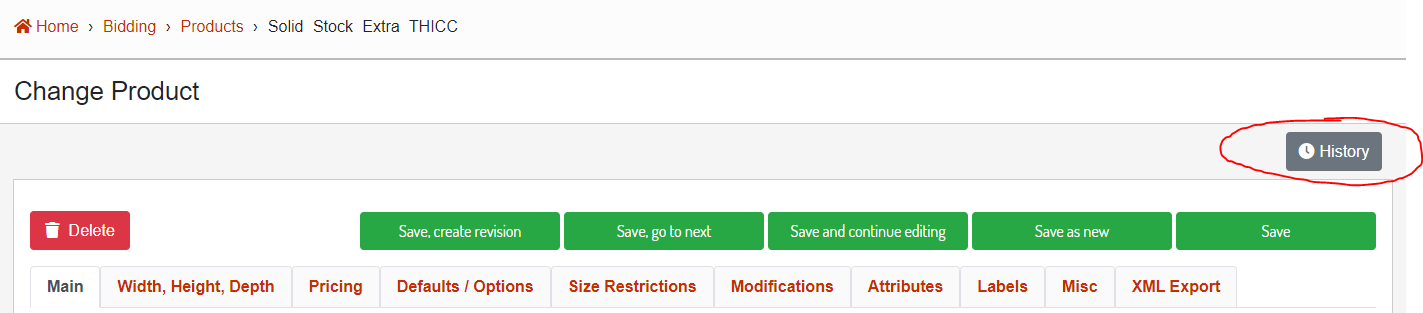
Click the History button from any of the item editor pages in the database admin that supports versions.
[](http://help.homesteadcabinet.net/uploads/images/gallery/2023-08/zfkimage.png)
**Image 1.** Location of the item history button.
[](http://help.homesteadcabinet.net/uploads/images/gallery/2023-08/fQAimage.png)
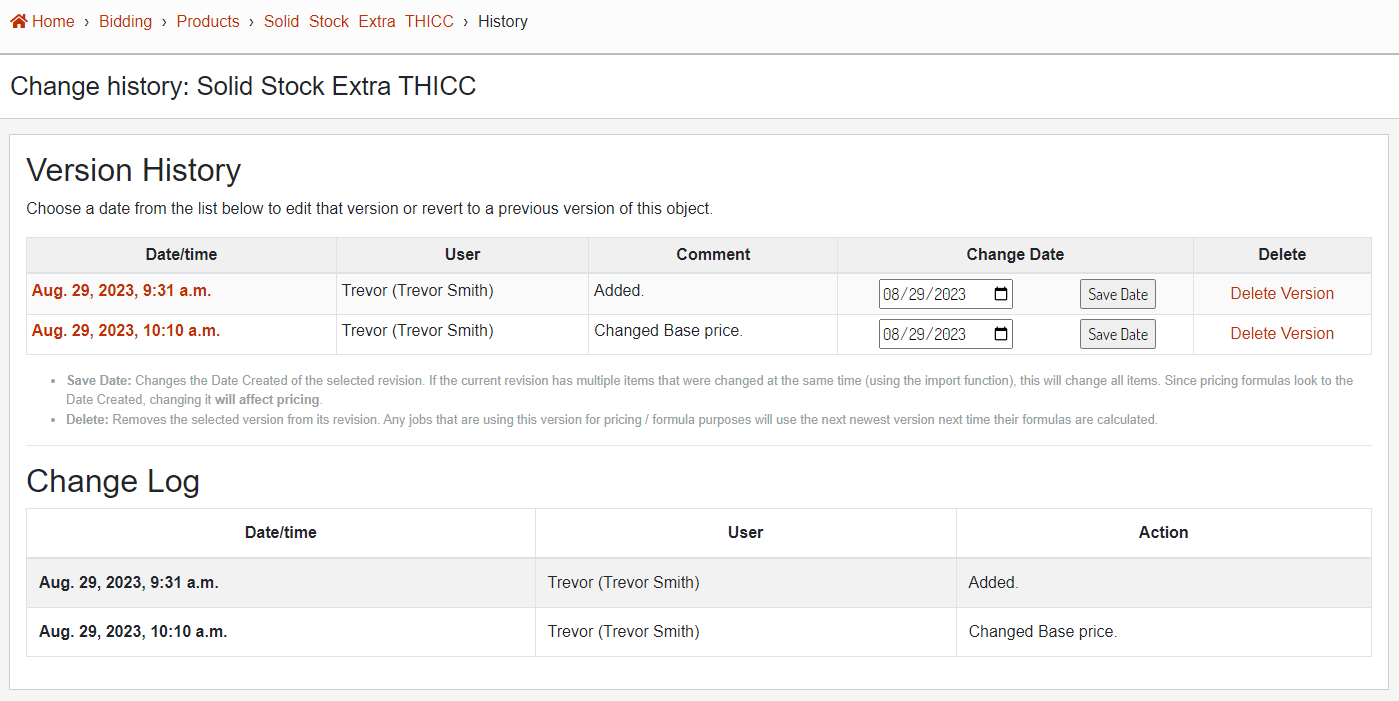
**Image 2.** Version history and change log.
#### Edit Version
To edit an existing version, clicking on the Date / Time of the version will open the version editor.
[](http://help.homesteadcabinet.net/uploads/images/gallery/2023-08/7vsimage.png)
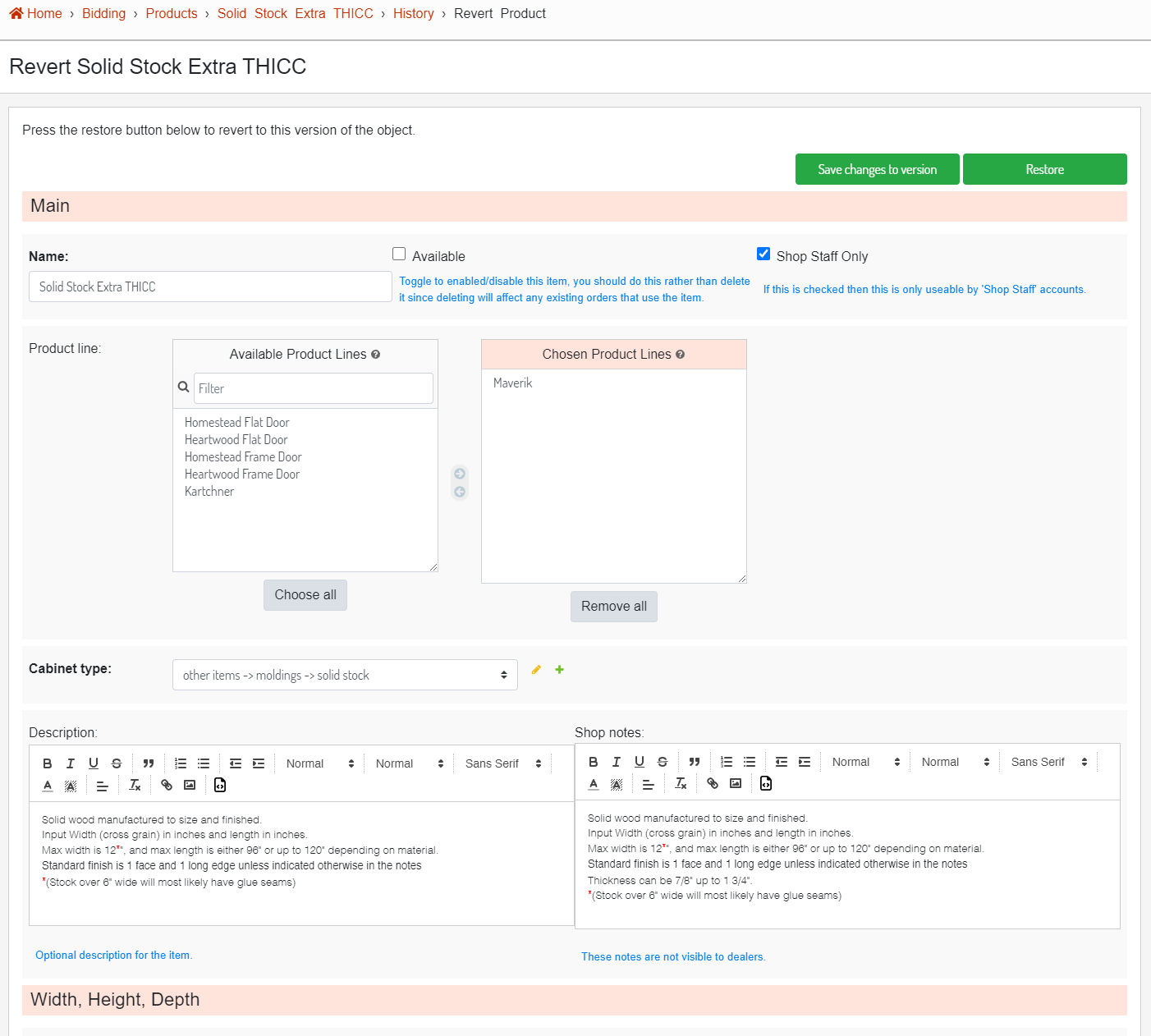
**Image 3.** Product version editor.
##### Save Changes to Version
The "Save changes to version" button will save the current version but will not impact the current database item. A possible reason you would want to update a version is if the pricing was saved at the wrong value and now needs to be updated.
##### Restore
The "Restore" button will take the current version values and save them back to the database item.
#### Change Date
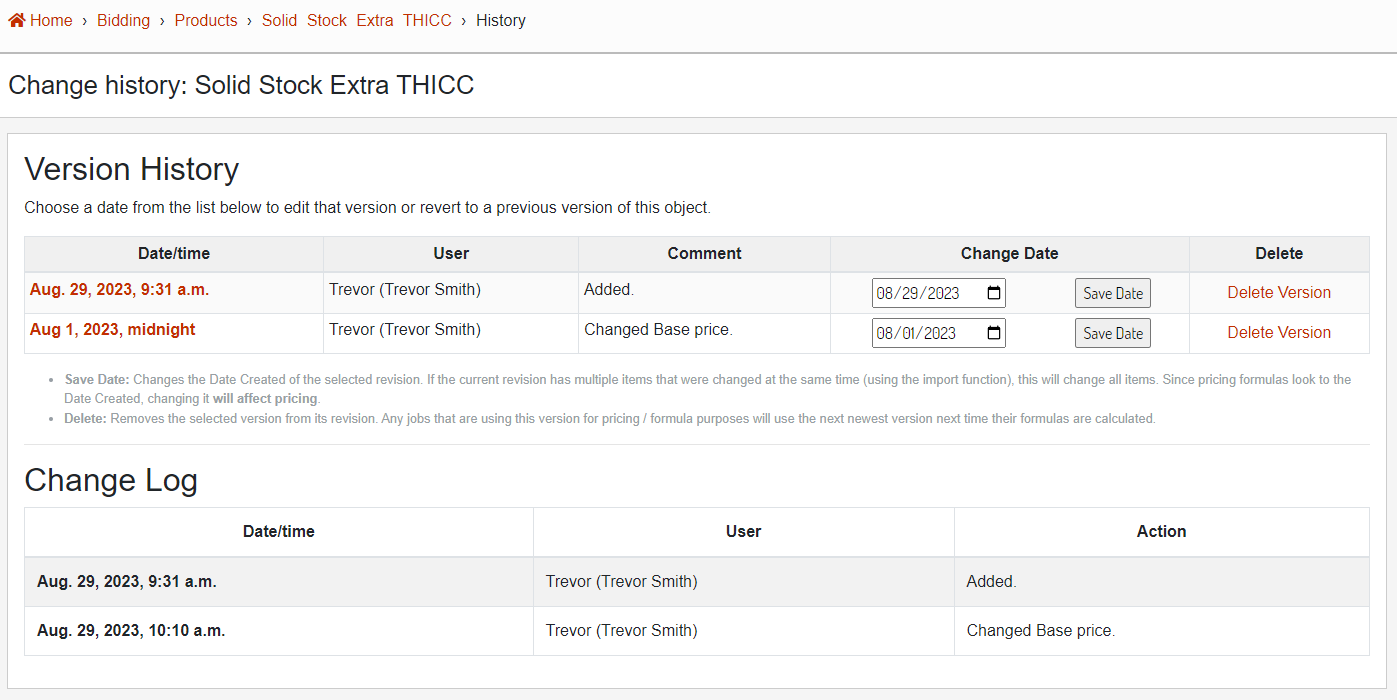
Using the Change Date dropdown date picker, you can assign a new date to any version. This is useful if you are trying to backdate / postdate a pricing change to a specific date.
[](http://help.homesteadcabinet.net/uploads/images/gallery/2023-08/IwAimage.png)
**Image 4.** Version with an updated Date / Time.
#### Delete
Using the "Delete Version" button will completely delete the version. This cannot be undone. This should only be done when you are sure that the version isn't needed.